Published · Updated · 11 min read
Zoho Desk Pricing 2026: Plans, Zia AI and Cost per Resolution
Zoho Desk pricing as of November 2026: US-dollar plan prices, how Zia AI and AI agent tokens are billed, where Zoho's own pages disagree, and what an AI resolution costs.
 Written by Andrew Hall, Editor
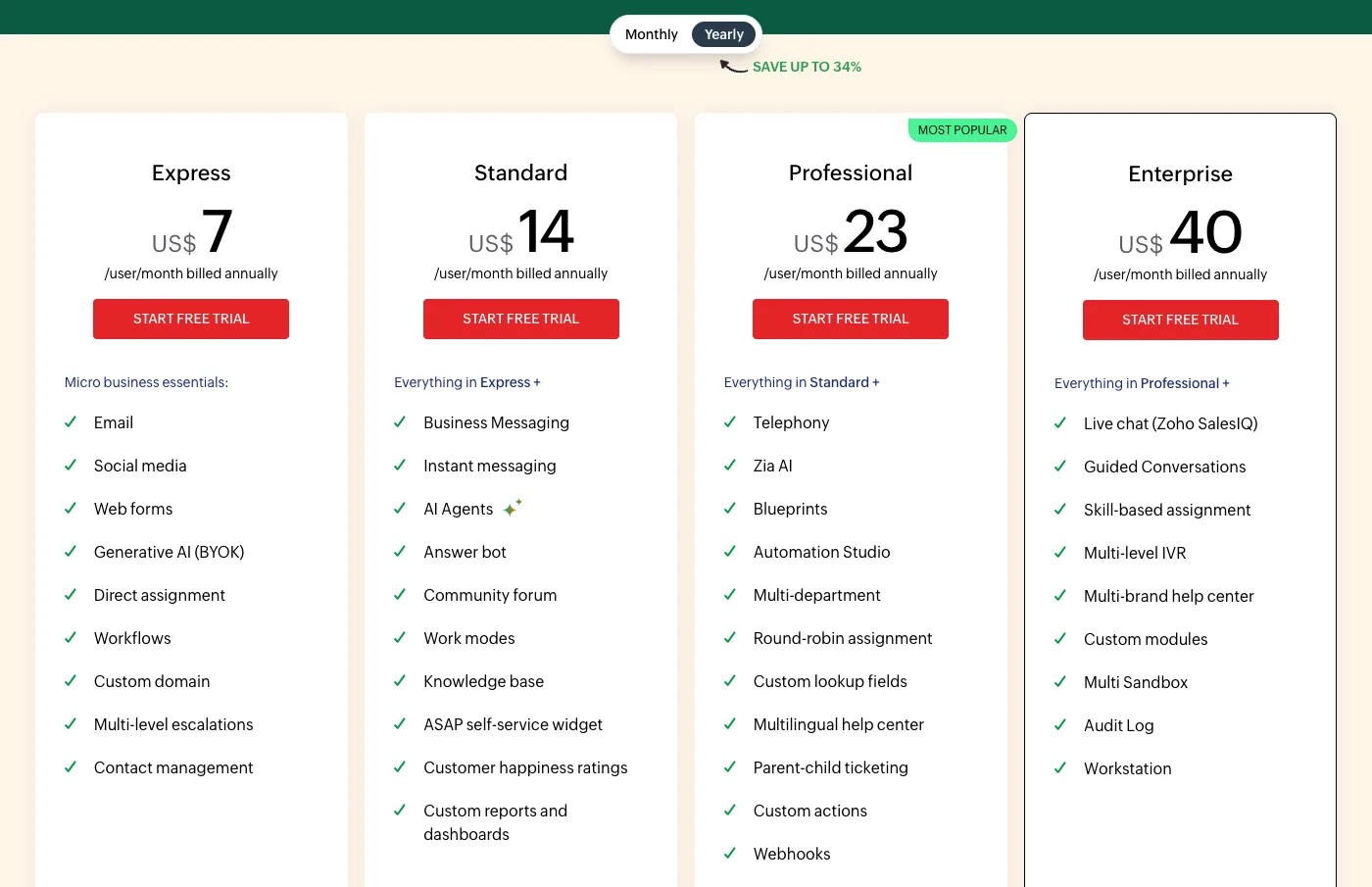
Zoho Desk pricing, as of November 2026, is $7, $14, $23 or $40 per agent a month on annual billing for Express, Standard, Professional and Enterprise, or $9, $20, $35 and $50 billed monthly. A free plan covers 3 users. Zia's generative AI is included from Professional, and AI agents get 30 million free tokens a month, then $1 per million.
Those are US-dollar list prices, as shown to US visitors. Zoho prices its pages by location, so you may see another currency or a different dollar figure. This guide covers the plans, how the AI is billed, where Zoho's own pages contradict each other, and what an AI-handled resolution is likely to cost.
Key takeaways
- Zoho Desk seats cost $7 to $40 per agent a month on annual billing, saving up to 34% against monthly billing.
- Native Zia generative AI is included from Professional; Express and Standard only work with your own OpenAI key and bill.
- Zoho-hosted AI agent models include 30 million free tokens a month, then cost $1 per million tokens on the standard tier.
- RTCI has not scored Zoho Desk, so its AI cost per resolution here is an estimate built on stated assumptions.
Zoho Desk plan prices in November 2026 (US dollars)
Zoho lists four paid plans and a free edition on its Zoho Desk pricing page, with a monthly and yearly toggle. The yearly toggle says "save up to 34%". The plan comparison page repeats the prices and adds user limits and light agents.
| Plan | Annual billing, per agent a month | Monthly billing, per agent a month | User limit (comparison page) |
|---|---|---|---|
| Free | $0 | $0 | 3 users |
| Express | $7 | $9 | 5 users |
| Standard | $14 | $20 | Unlimited |
| Professional | $23 | $35 | Unlimited |
| Enterprise | $40 | $50 | Unlimited |
| Ultimate | $55 in the page code | $65 in the page code | Hidden from view |
The 34% applies to Professional, where $23 against $35 is a 34.3% saving. The annual discount is smaller elsewhere: 22% on Express, 30% on Standard and 20% on Enterprise. Zoho adds local taxes such as VAT or GST on top of every price.
The sixth row needs a caveat. The comparison page's code contains a top plan priced at $55 annual and $65 monthly, but the column was hidden when the page was rendered for a US visitor on November 24, 2026, and the plan does not appear on the main pricing page. Treat it as a plan you discuss with Zoho sales, not one you can buy from the page.
If the page shows you a different currency or a different dollar figure, that is location pricing rather than an error: Zoho's pricing script serves different price sets by region, so two buyers can see two different numbers. Every price in this guide is the US-dollar price shown to US visitors.
Where Zoho's own pages disagree
Three details differ between the pricing page and the comparison page. Each one can change which plan you need, so check them with Zoho in writing before you sign.
User cap. The pricing page FAQ says that after the Free edition, "your user limit will increase to 5 users in Standard or unlimited users in all higher plans." The comparison page puts the 5-user limit on Express and lists Standard as unlimited.
Pre-built AI agents. The Standard card on the pricing page describes AI Agents as including "access to pre-built agents and up to 30M free tokens/month." The comparison page row "Pre-built Zoho Desk AI Agents" ticks only Professional and above, and notes they are available in the US and India data centres.
Light agents. The pricing FAQ says light agents are offered on "Paid plans (Professional, Enterprise)". The comparison page lists a $6 light agent on Standard as well.
Neither page is labelled as the one that wins. If you plan to run a 6-person team on Standard, deploy pre-built agents on Standard, or add light agents on Standard, ask your Zoho rep to confirm it against your order form.
Which Zoho Desk plan fits which team
Feature gates, not headcount, decide most Zoho Desk upgrades. This is what each plan adds according to the pricing cards and comparison page as of November 2026.
| Plan (annual, per agent) | What the plan adds | Choose it if |
|---|---|---|
| Free, $0 | Email ticketing for 3 users | You are testing a shared inbox with a tiny team |
| Express, $7 | Email, social media, web forms, workflows, generative AI only with your own OpenAI key | You have 5 or fewer agents working mainly by email and are happy to run your own OpenAI account |
| Standard, $14 | Instant messaging including WhatsApp (one channel), Answer Bot, AI Agents with a token allowance, knowledge base, ASAP self-service widget, custom reports | You need chat and messaging channels and a knowledge base, and want to build AI agents |
| Professional, $23 | Telephony, native Zia AI, blueprints, Automation Studio, multiple departments, round-robin assignment, multilingual help centre | You want AI summaries and reply help without a separate OpenAI bill, or need phone support and process automation |
| Enterprise, $40 | Live chat through Zoho SalesIQ, Guided Conversations, Answer Bot inside the ASAP widget, chatbots on messaging channels, skill-based assignment, sandbox, audit log, 50 free light agents | You want a customer-facing bot on your site or messaging channels, or need audit and routing controls |
The step that matters for AI buyers is Professional to Enterprise. The comparison page ticks "Answer bot in ASAP" and "Chatbots in IM" only for Enterprise and above, so a customer-facing bot in Zoho's own widget or on WhatsApp means paying Enterprise seats for every agent.
How Zia AI is priced: BYOK, native Zia and AI agent tokens
Zoho does not charge per AI conversation or per resolution. The AI cost comes in three layers, and which ones you pay depends on your plan.
| Layer | What it covers | How it is billed as of November 2026 | Plans |
|---|---|---|---|
| Bring your own key (BYOK) | Summaries, sentiment, reply suggestions using your OpenAI or Azure OpenAI key | Your provider bills you directly | Express and up |
| Native Zia | The same generative features on Zoho's own models | Included in the seat price | Professional and up |
| AI agents on Zoho-hosted models | Agents built in Zia Agent Studio or taken from the Agent Store | Free token allowance, then per million tokens | Standard and up |
For the native layer, the Zia page says generative features such as ticket summarisation, reply assistance and writing assistance are "built right into Zoho Desk at no extra cost". The comparison page shows Express and Standard as "BYOK" and Professional and above as "BYOK & Native".
For agents, the Zia Agents pricing page states that agents themselves are free and you pay only for model usage. The Zoho-hosted models come in two tiers.
| Standard tier | Pro tier | |
|---|---|---|
| Models | Qwen 14B, Qwen 3.5 35B MoE, GLM 4.7 Flash | GLM 5 |
| Free tokens a month | 30 million | 20 million |
| After the free allowance | $1 per million tokens | $3 per million tokens |
| Availability | Generally available | On request, US and India data centres only |
Usage beyond the allowance is paid from a prepaid wallet. Zoho's model configuration guide sets the rate at "1 USD = 1,000 AI Credits", says purchased credits roll over month to month, and says the free allowance does not roll over and resets on the 1st. The agents pricing page also offers credits worth $5 when you first sign up.
External models work two ways. With your own key, the vendor bills you and Zoho charges nothing. Through Zoho's managed keys, usage is charged at the vendor's rates from the first token, with no free allowance.
See the AI agents before you price them
Zoho Desk's own introduction to Zia Agents shows the kind of agent work that consumes tokens, which helps when you estimate volume for the worksheet below.
What a Zia resolution really costs (estimate)
RTCI has not tested Zoho Desk, so there is no measured resolution rate behind the numbers in this section. They show how the bill behaves under stated assumptions, using the method in the cost per verified resolution framework.
Because Zoho bills tokens rather than conversations, AI cost has two parts: token overage beyond the free allowance, and the plan premium you pay to reach the AI features you want. Both can be spread over the conversations the AI actually resolves.
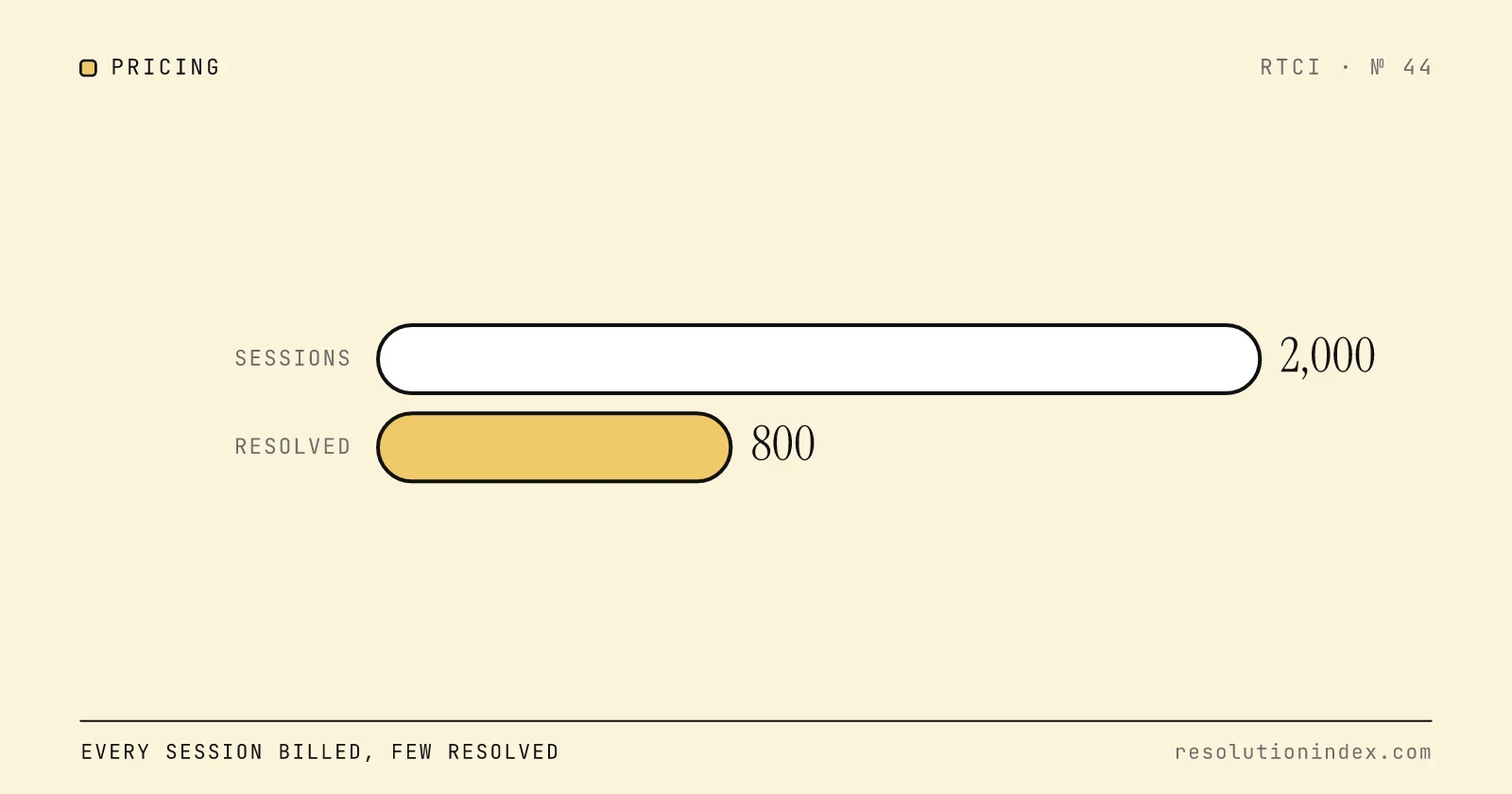
Take a 10-agent team whose AI handles 2,000 conversations a month, with an assumed 40% resolved by the AI, which gives 800 resolutions. Zoho's own calculator on the agents pricing page counts a support ticket resolution at 1,443 tokens (1,427 input and 16 output, for a one-line answer). That example already draws on knowledge-base articles; longer, multi-turn conversations use far more, so two heavier cases are assumed at 10,000 and 25,000 tokens.
| Tokens per conversation | Zoho's example: 1,443 | Assumed: 10,000 | Assumed: 25,000 |
|---|---|---|---|
| Tokens a month (2,000 conversations) | 2.9 million | 20 million | 50 million |
| Overage, Standard-tier model (30M free, $1/M) | $0 | $0 | $20 |
| Overage, Pro-tier model (20M free, $3/M) | $0 | $0 | $90 |
| Token cost per resolution (800) | $0.00 | $0.00 | $0.025 or $0.11 |
Inside the allowance, the token cost is zero. The plan premium is the larger number. Moving 10 agents from Standard to Professional for native Zia costs 10 × ($23 − $14) = $90 a month. Moving from Professional to Enterprise for the customer-facing bot costs 10 × ($40 − $23) = $170.
| Scenario (10 agents, 800 AI resolutions a month) | Plan premium | Tokens | AI cost a month | AI cost per resolution |
|---|---|---|---|---|
| Already on Professional, tickets near Zoho's 1,443-token example | $0 | $0 | $0 | $0.00 |
| Standard to Professional, 25,000 tokens, Standard-tier model | $90 | $20 | $110 | $0.14 |
| Professional to Enterprise for the ASAP bot, 25,000 tokens, Pro-tier model | $170 | $90 | $260 | $0.33 |
| Standard to Enterprise, 25,000 tokens, Pro-tier model | $260 | $90 | $350 | $0.44 |
The resolution share moves the result more than the token price. Holding the $260 Enterprise scenario fixed, the cost per resolution changes like this.
| Assumed share resolved by AI | Resolutions | AI cost per resolution |
|---|---|---|
| 30% | 600 | $0.43 |
| 40% | 800 | $0.33 |
| 50% | 1,000 | $0.26 |
| 60% | 1,200 | $0.22 |
At list price, Zoho's AI is cheap per resolution. What you cannot see from the price is how many conversations Zia resolves, so measure it in a trial before you trust any of these figures. The guide to measuring AI resolution rate sets out a sampling method.
Worked monthly bills for three team sizes
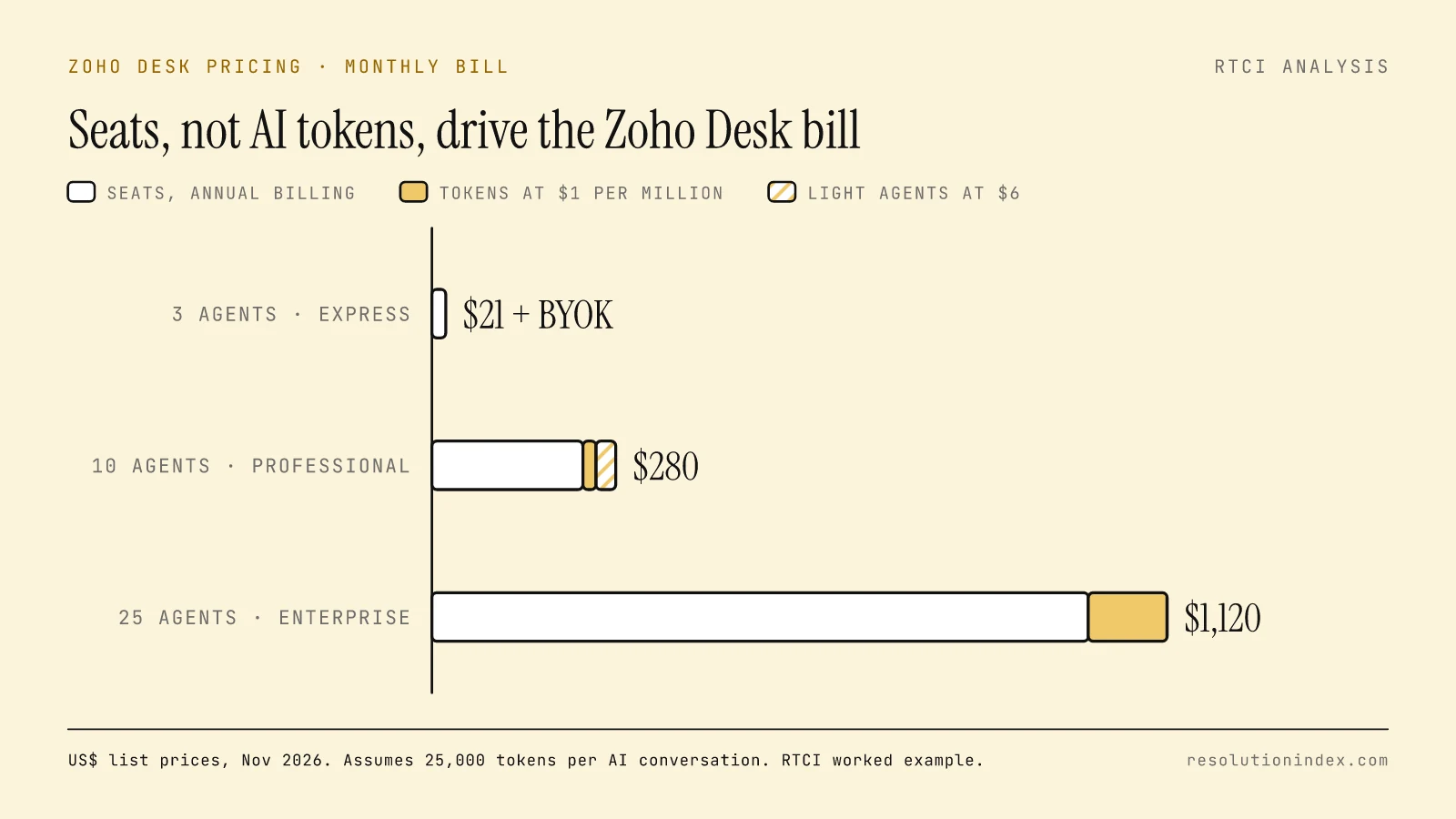
Adding seats, tokens and light agents gives a realistic monthly figure. The three teams use US-dollar annual list prices as of November 2026, assume 25,000 tokens per AI conversation on a Standard-tier model, and treat the 30-million-token allowance as one pool per organisation, which Zoho does not confirm.
| 3-agent Express team | 10-agent Professional team | 25-agent Enterprise team | |
|---|---|---|---|
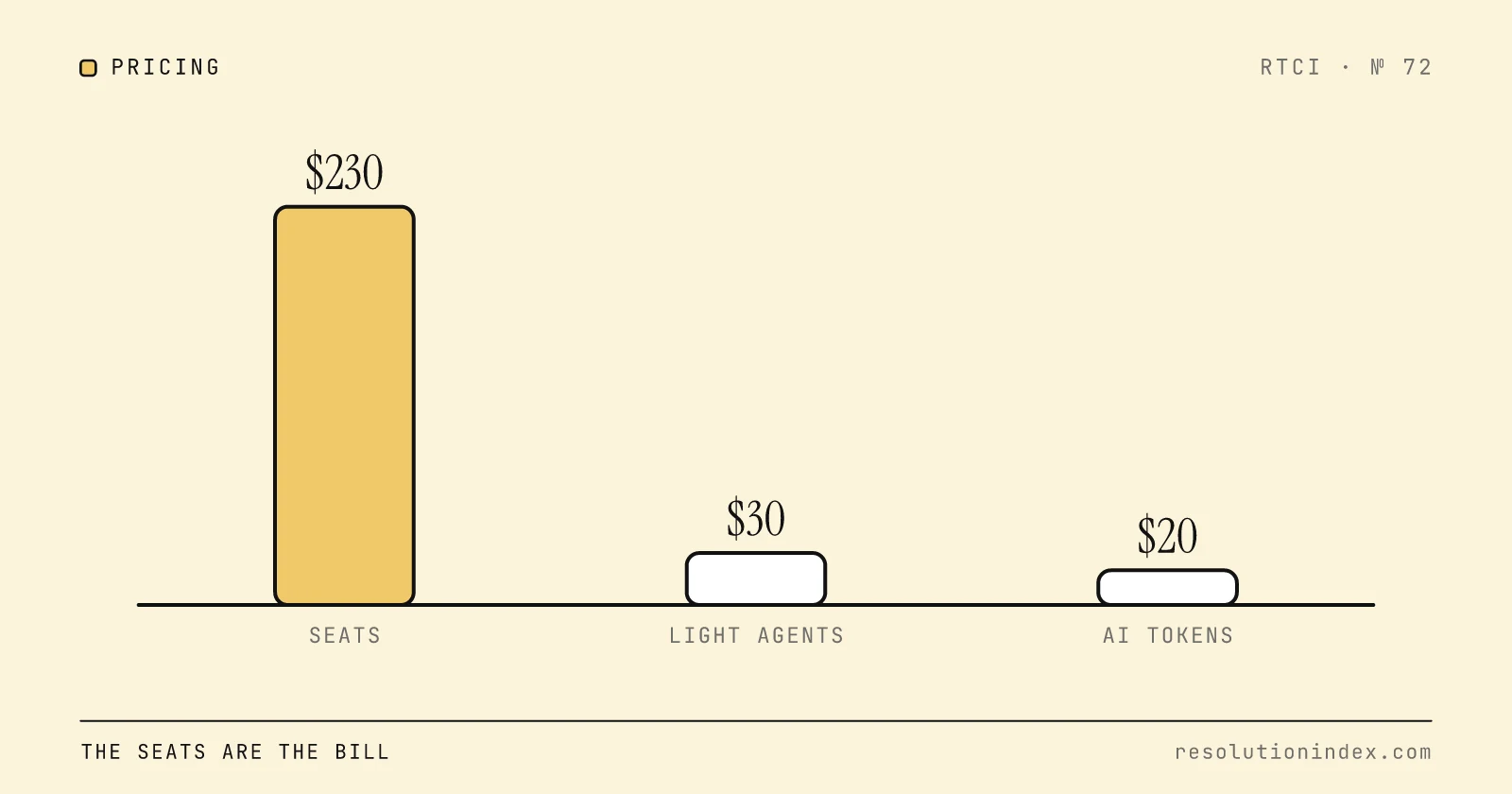
| Seats | 3 × $7 = $21 | 10 × $23 = $230 | 25 × $40 = $1,000 |
| AI conversations a month | BYOK only | 2,000 | 6,000 |
| Tokens used | Billed by your provider | 50 million | 150 million |
| Token overage at $1 per million | Not applicable | 20 million, $20 | 120 million, $120 |
| Light agents | Not available | 5 × $6 = $30 | 40, inside the 50 free, $0 |
| Monthly total | $21 plus your OpenAI bill | $280 | $1,120 |
| Same team on monthly billing | $27 plus your OpenAI bill | $400 | $1,370 |
Seats are most of every bill. For the 10-agent team, tokens are $20 of $280, about 7%. For the 25-agent team, they are $120 of $1,120, about 11%.
The token line only grows large on the Pro-tier model. If the 25-agent team ran GLM 5 instead, overage would be (150 − 20) million × $3 = $390, and the bill would rise to $1,390. If its tickets looked like Zoho's 1,443-token example, 6,000 conversations would use about 8.7 million tokens and the token line would be $0.
The small team pays Zoho very little, but Express has no Zoho-hosted AI. Every summary or suggested reply runs on your own OpenAI key, and that bill arrives separately.
Zoho Desk vs Freshdesk, Zendesk and Help Scout on AI cost per resolution
The vendors below are scored by RTCI. Their resolution rates and costs come from the RTCI index. Zoho Desk is not scored, so its row is set apart and carries only the estimate from the worksheet above.
| Platform | AI billing unit | Realistic resolution rate (RTCI) | AI cost per resolution (RTCI) |
|---|---|---|---|
| Help Scout AI | Per resolution | 54–64% | $0.50–$0.75 |
| HubSpot Breeze | Per resolution | 51–61% | $0.50 |
| Freshdesk Freddy | Per AI session | 52–62% | $0.79–$0.94 |
| Zendesk AI | Per automated resolution | 36–46% | $1.50–$2.00 |
| Zoho Desk (Zia), not scored by RTCI | Plan tier plus tokens | Not measured | About $0.00–$0.44, estimate at an assumed 40% resolved |
On paper, Zoho's AI is the cheapest per resolution in this table. The catch is the denominator. Per-resolution vendors such as Help Scout AI only charge when the AI resolves, so a weak bot costs them, not you. With Zoho, a weak bot costs you agent time while the plan premium stays the same.
Freshdesk sits in between: it bills each AI session whether or not it resolves, as the Freshdesk pricing breakdown shows. Zendesk bills per automated resolution at a higher unit price, covered in the Zendesk pricing guide. Seat prices for those vendors are in their guides.
Other charges to check
A few smaller items can appear on a Zoho Desk invoice. All are listed on the pricing or comparison page as of November 2026.
| Charge | Price or rule |
|---|---|
| Light agents | $6 per light agent a month; 50 free on Enterprise |
| Extra departments | $6 a month per department on annual billing, $7 monthly; offered on Enterprise in the comparison page |
| One channel on Standard, 10 on Professional, 50 on Enterprise, with "usage-based charges applied by WhatsApp" | |
| BYOK model usage | Billed by OpenAI or your other provider, not by Zoho |
| Pro-tier and managed-key model usage | Paid from the prepaid AI credit wallet |
| Local taxes | VAT, GST and similar added to all prices |
| Paid support plans | Offered on top of the included Classic support; no price on the pricing page |
On discounts, the pricing FAQ mentions only the annual commitment discount and "special pricing" for non-profits and educational institutions.
What Zoho does not publish
Several numbers you would want before signing are not on any page reviewed for this guide.
- How many tokens a Zia agent uses per real Zoho Desk conversation. The 1,443-token figure is a calculator example for a one-line answer.
- Whether the 30-million-token allowance is per organisation or per user, and whether Zoho Desk's allowance is the same pool as the Zia Agents platform allowance.
- A Zoho Desk help article on token consumption. None turned up in Zoho's help centre search.
- Any Zia resolution or deflection rate that RTCI can verify.
- A public price or feature list for the hidden top plan.
Your own usage is visible after a trial. The model configuration guide points to Settings > Plan & Billing for usage by model and agent, which is the figure to plug into the worksheet.
When Zoho Desk pricing works against you
Token billing with a large free allowance suits some teams and not others.
It works against you when you want a customer-facing bot in Zoho's own widget or on messaging channels. That needs Enterprise for every agent, which is $17 per agent a month more than Professional on annual billing.
It works against you when you stay on Express or Standard for price. The generative features then run on your own OpenAI key, so you carry a second bill and a second vendor relationship.
It works against you when you need the Pro-tier model at volume. At $3 per million tokens after 20 million free, a heavy agent can cost several times the Standard-tier rate.
It works in your favour when your company already runs on Zoho CRM or Zoho One, and when your AI volume stays inside the free 30 million tokens. In that case the AI layer adds nothing beyond the seats.
For a side-by-side of token, session and outcome billing across vendors, the AI support pricing models guide compares how each one shifts risk between buyer and vendor.
The decision rule
Choose Zoho Desk on Professional if you want AI help for agents without a separate model bill, and move to Enterprise only if a customer-facing bot is the goal. Before you pay for Enterprise, run a trial, measure how many bot conversations truly resolve, and divide the extra seat cost by that number. If it comes to more than about $0.50 per resolution, a per-resolution vendor is worth pricing alongside.
Run your seats, AI volume and measured resolution rate through the AI customer service ROI calculator before the trial ends.
Frequently asked questions
How much does Zoho Desk cost?
As of November 2026, Zoho Desk costs $7, $14, $23 or $40 per agent per month on annual billing for Express, Standard, Professional and Enterprise, as shown to US visitors. Monthly billing costs $9, $20, $35 and $50. A free plan covers 3 users. Local taxes are added, and visitors in other regions may see different prices.
Is Zoho Desk free?
Yes, there is a Free edition with three user licences and email ticketing, and it has no time limit. Every paid plan also has a 15-day free trial with no credit card. When the trial ends, Zoho moves the account down to the Free plan unless you buy a paid edition.
Why does Zoho Desk show me a different price?
Zoho prices its pages by visitor location, so visitors outside the US can see another currency or a lower dollar price set. RTCI uses the US-dollar prices shown to US visitors: $7, $14, $23 and $40 per agent a month on annual billing.
Is Zia AI included in Zoho Desk or extra?
Zia's generative features, such as ticket summaries and reply assistance, run on Zoho's own models at no extra cost from Professional upward. Express and Standard need your own OpenAI or Azure OpenAI key, which the provider bills. AI agents on Zoho-hosted models get 30 million free tokens a month, then $1 per million.
What is a light agent in Zoho Desk and what does it cost?
A light agent is a user who can view tickets and leave internal comments but does not handle support work. Light agents cost $6 each per month as of November 2026. Enterprise includes 50 free light agents. Zoho's pages disagree on whether Standard can buy them, so confirm before you budget for it.
Is Zoho Desk cheaper than Freshdesk?
On AI cost, probably at list price, because Zoho does not bill per AI conversation. RTCI puts Freshdesk Freddy at $0.79 to $0.94 per resolution, while an RTCI estimate for Zoho's Zia lands between $0.00 and $0.44. RTCI has not tested Zia's resolution rate, so the Zoho figure rests on assumptions.
Read next
Keep reading
Picked for this article: the pieces it cites and the ones that answer the next question buyers usually ask.
Most related
Freshdesk Pricing 2026: Plans, Freddy AI Sessions, Real Costs
Freshdesk pricing as of November 2026: plans from $19 per agent, Freddy AI Agent at $49 per 100 sessions, and what each resolved conversation really costs.
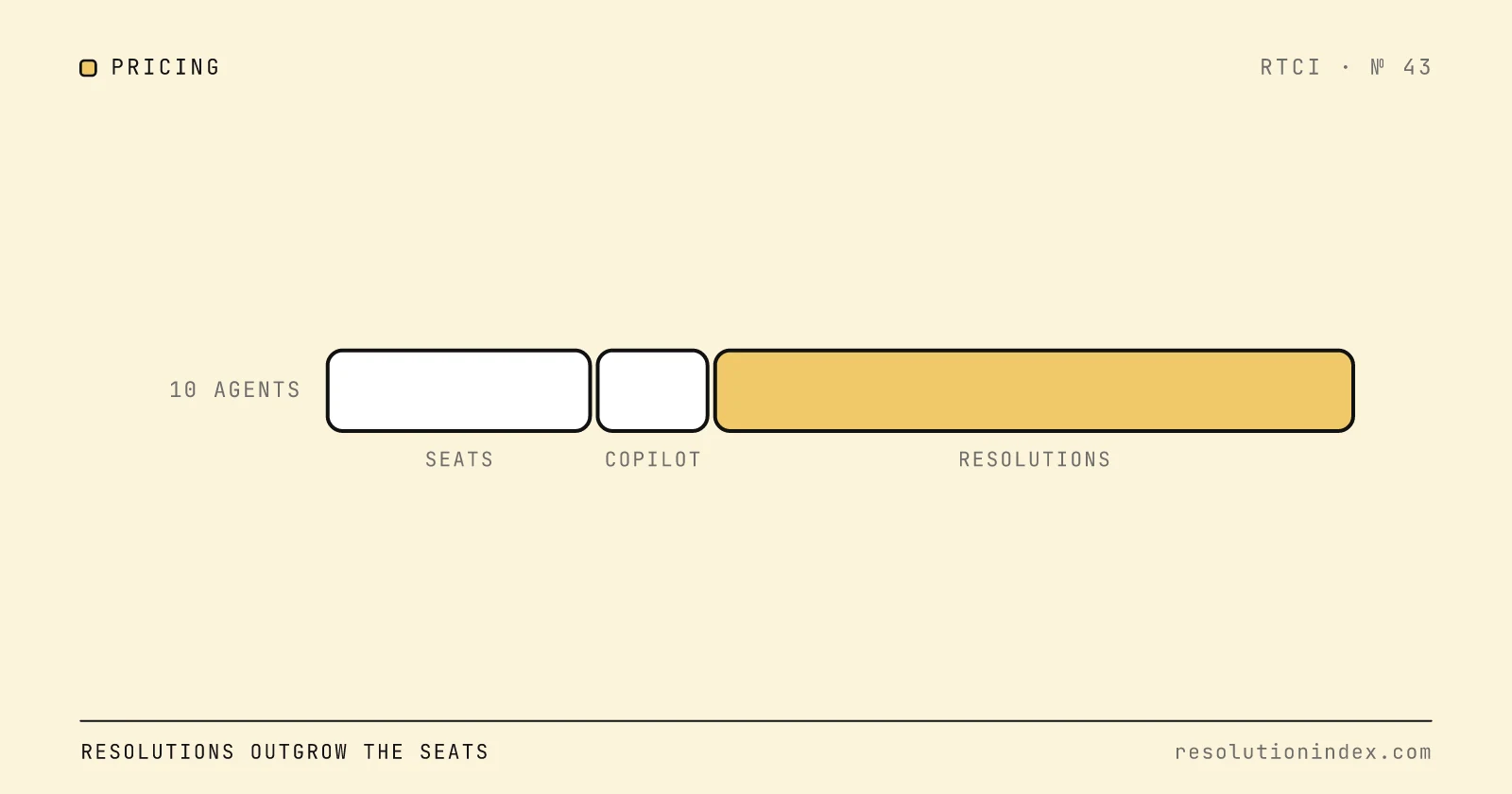
Zendesk Pricing 2026: Plans, AI Agents and Resolution Costs
Zendesk pricing as of November 2026: plans from $19 per agent, AI agents billed per automated resolution, the May 2026 tier change, and worked monthly bills.
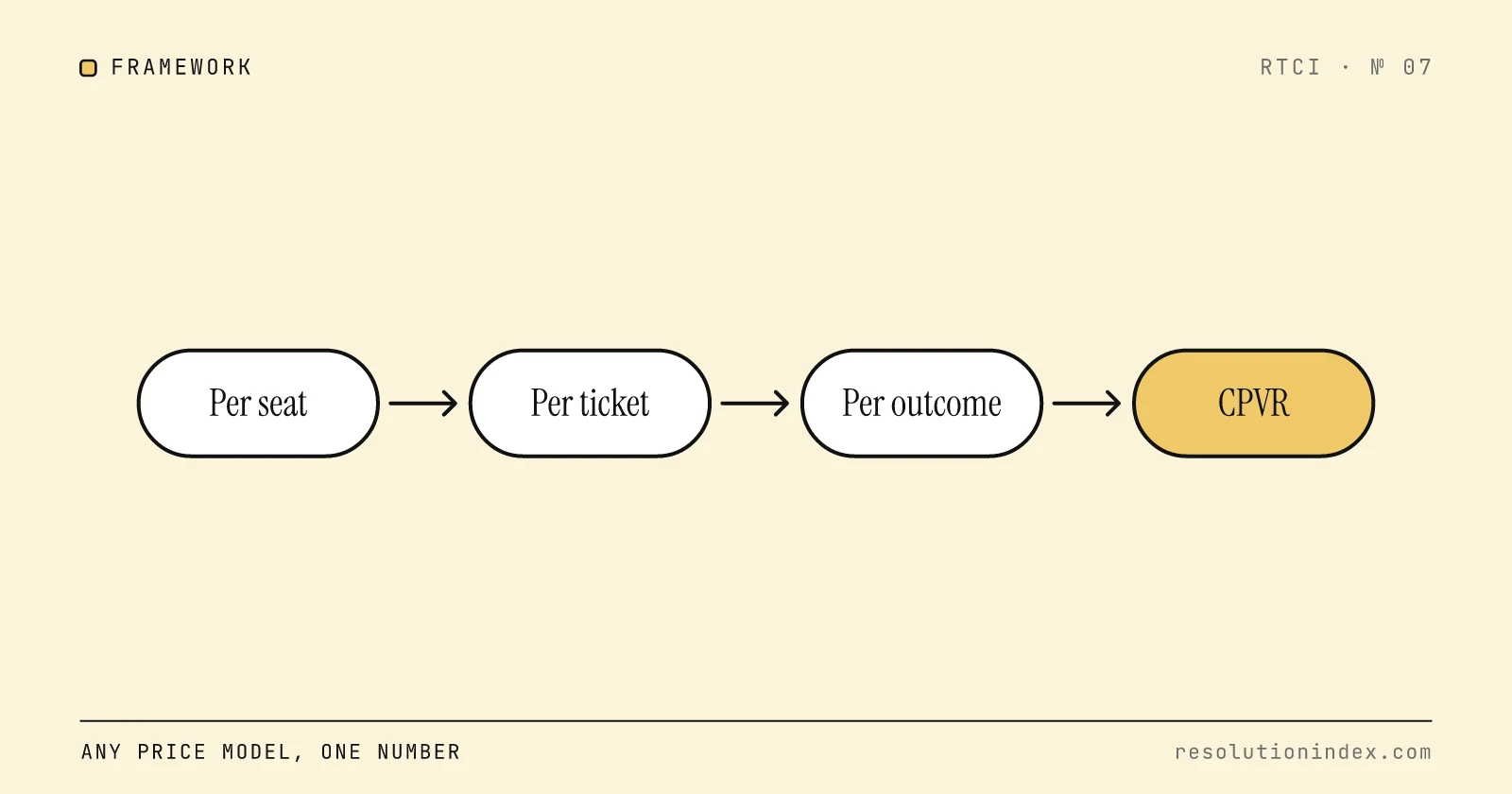
Cost Per Verified Resolution: A New Framework
Per-seat, per-ticket, and per-resolution pricing models all produce different numbers for the same underlying cost. RTCI's three-layer cost model normalizes any vendor's pricing into a single comparable metric: cost per verified resolution.
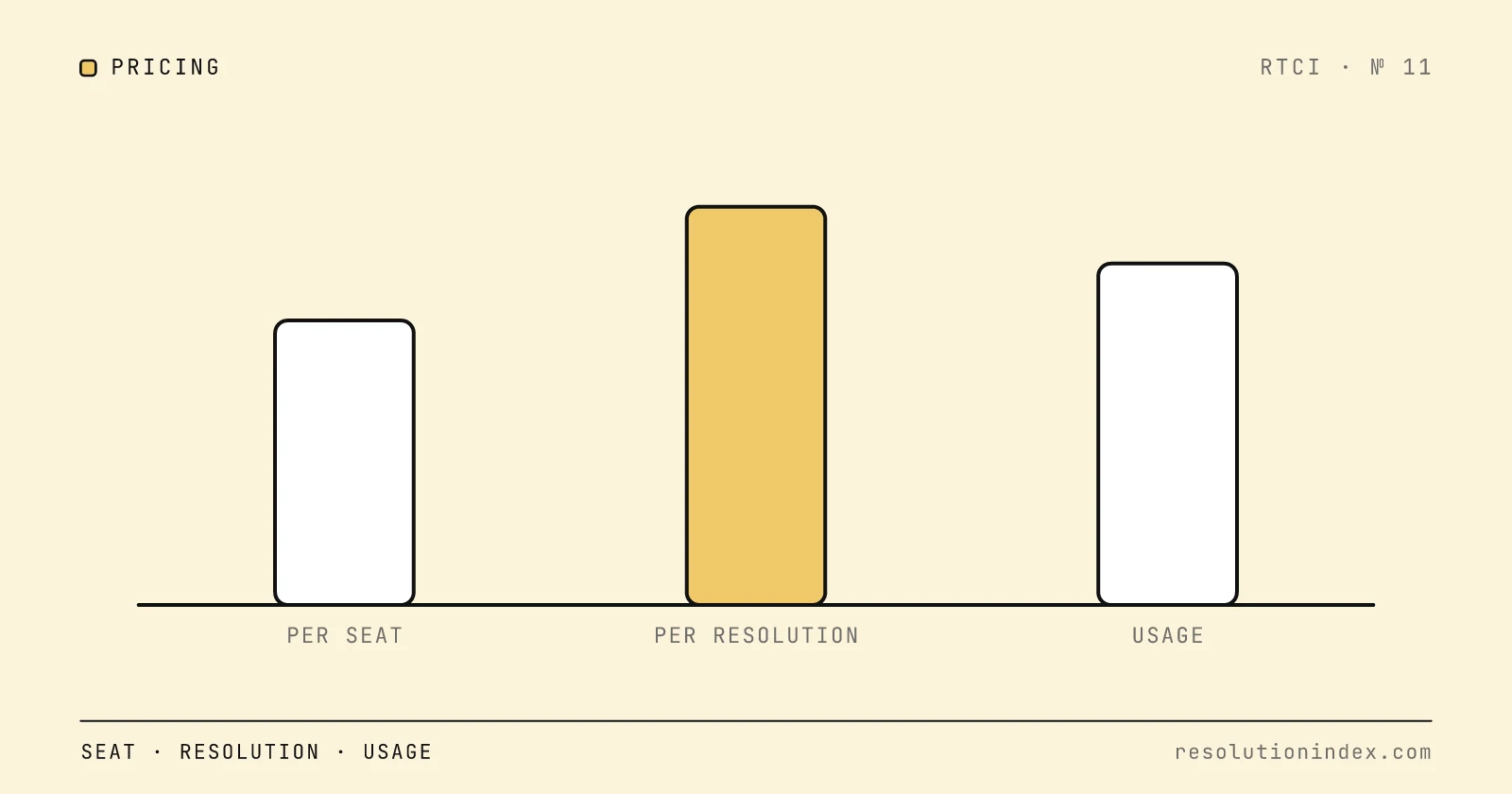
AI Customer Support Pricing Models Compared: Per-Seat, Per-Resolution, and Usage
AI support vendors price by seat, by resolution or by usage. A worked example at 10,000 conversations a month shows the same 5,000 resolutions costing $874 to $7,200 depending on the price card.
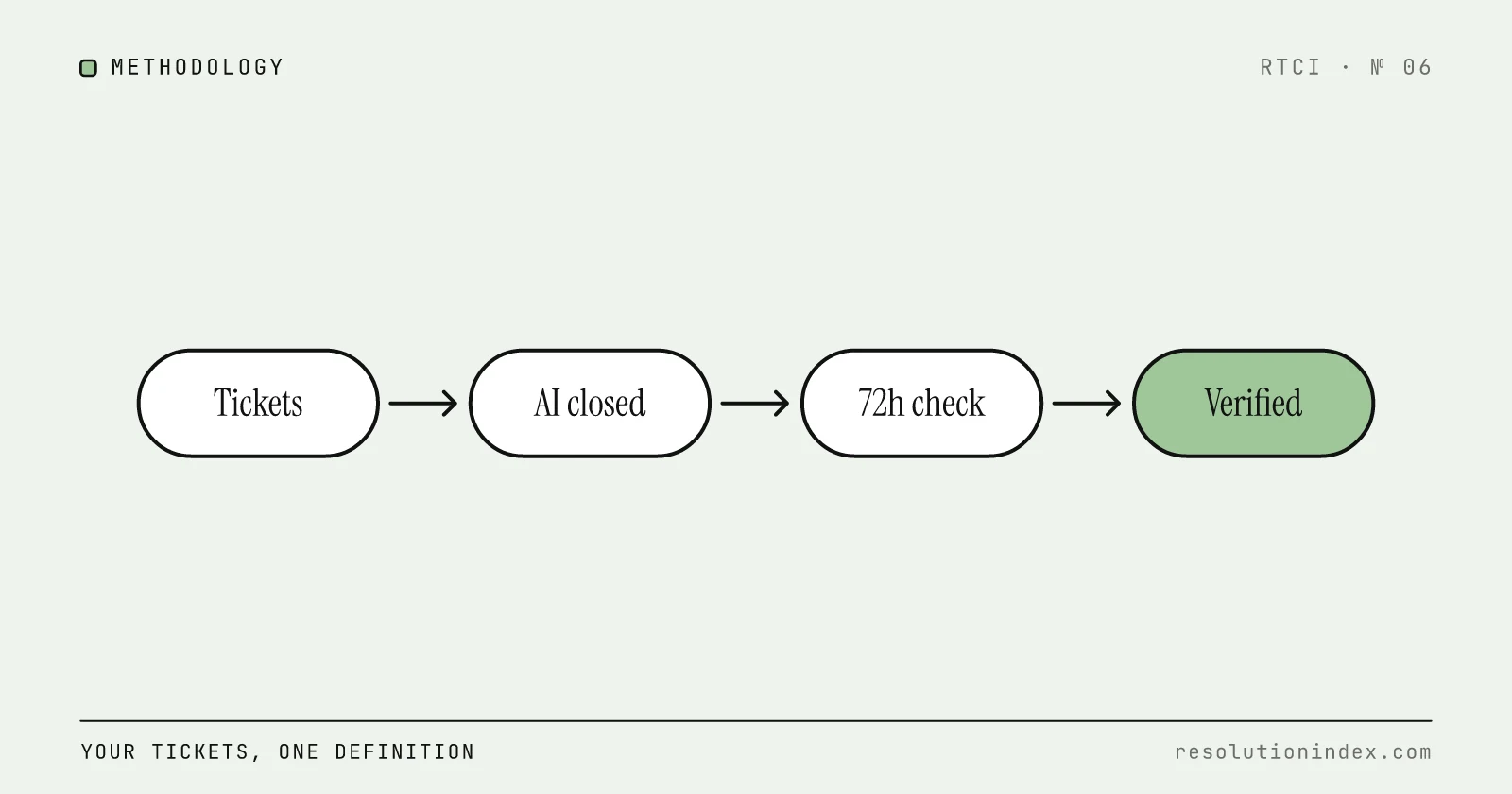
How to Measure AI Resolution Rate Internally
Vendor dashboards report resolution rates that no two vendors calculate the same way. This is a practical, vendor-agnostic methodology to measure your own AI resolution rate using your own ticket data, built on RTCI's 72-hour verified resolution standard.